
Veo 3.1 Fast
from 81 crPolished cinematic shots with native dialogue and sound, rendered quickly.
- 4–8s
- 720P · 1080P · 4K
- Text · Frames · Reference
VidoGrid puts Seedance, Veo 3.1, Kling 4 and Grok Imagine in one studio. Text, frames or reference images to video — pay only for renders that succeed.
Free-plan results appear in the public gallery · charged only when it succeeds
Your video appears here
Pick a model, write a prompt and press Generate. You only pay for successful renders.
AI video generator
VidoGrid is an online AI video generator: write a prompt, or add a first frame or reference images, and get a finished clip with native sound. Seedance 2.5, Veo 3.1, Kling 4 and Grok Imagine run side by side, so you can pick the model that fits each shot instead of paying for several subscriptions.
Clips run up to 30 seconds and 4K. You see the exact credit cost before you generate, renders keep going if you leave the page, and failed renders are refunded automatically.
How it works
From idea to download in four steps, starting at 24 credits.
Write who is in it, what happens, how the camera moves and how it should sound.
Upload a first and last frame to control the start and end, or reference images to keep a character or product consistent.
Choose the model, length, resolution and aspect ratio. The cost updates as you go.
Watch the live status, then download the MP4, reuse the settings or make a variation. Every render is saved in My creations.
Model guide
Lengths, resolutions and prices come straight from the studio, so they always match what you pay.
Polished cinematic shots with native dialogue and sound, rendered quickly.
Google’s highest-fidelity Veo for hero shots where detail matters most.
The cheapest way to try an idea in Veo, with the same 4–8s clips.
Long multi-shot stories up to 30s with consistent characters and audio.
Seedance 2.5 storytelling at a lower price for drafts and social cuts.
Reliable all-rounder for motion, camera moves and reference-driven shots.
Faster, cheaper Seedance 2.0 for iterating on motion and timing.
Very low-cost previews to test prompts before a full render.
Long takes up to 30s, up to 10 keyframes and omni reference, up to 4K.
Kling 4 motion quality at 720p for quick social clips.
Playful, stylized clips up to 30s at a low price, from text or a reference.
Three ways to start
Every example below was made with these modes. Hover to play.
Describe the scene and the model invents everything: subject, motion, camera and sound.
Start from your own still, and optionally set the final frame, so the clip begins and ends exactly where you want.
Add character sheets, products or locations as references and the model keeps them consistent in a new scene.
Use cases
Product reviews, unboxings and ASMR-style spots without a shoot.
Vertical 9:16 reels and TikToks with music and motion that stop the scroll.
Turn a script into animated storyboards to pitch an idea before production.
Action, fantasy and one-take sequences for shorts, trailers and music videos.
Show a product in use with consistent shape, colour and branding.
Vlogs and lifestyle scenes for channels, hotels and tourism brands.
Showcase
Real prompts from the community. Hover any piece to read its prompt and recreate it in one click.
A professional 3D character design sheet displays two distinct protagonists, a human baker and an anthropomorphic cockroach, side-by-side against a clean white layout. The baker features soft subsurface scattering on…
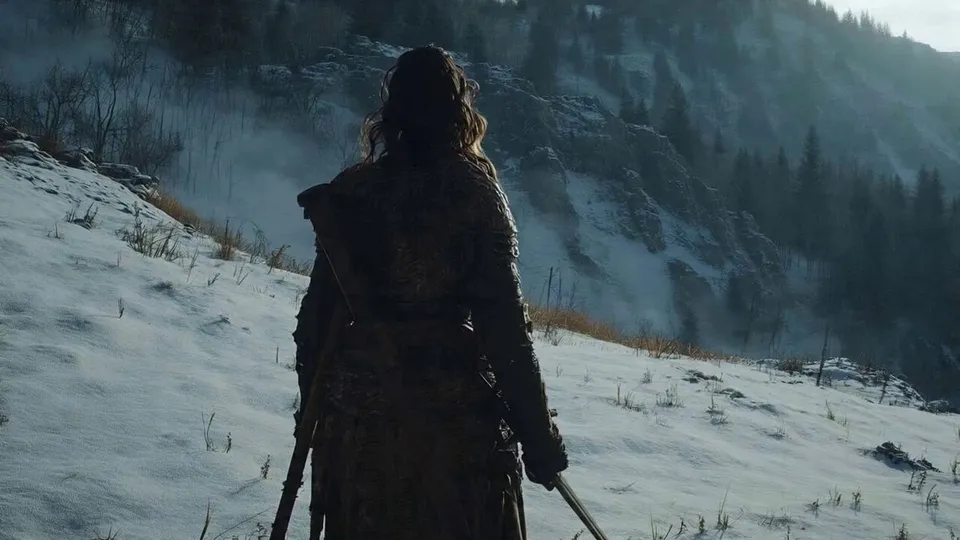
A lone sword-bearing woman in weathered fur and leather fights a massive polar bear with desperate, two-handed survival movement. The same woman is later revealed at home in loose indoor clothes, where a VR headset…
Create a premium cinematic character bible sheet for MIKE & MARCUS. Use uploaded character sheets as strict visual reference for both characters. Do not change either's appearance. LAYOUT: Split screen partner format…
cat doing zoomies in house
Ultra-Realistic Cinematic Wildlife Fantasy – Bear Meets a Girl Underwater Create a breathtaking, ultra-realistic cinematic wildlife fantasy video set in a beautiful, misty bamboo forest with a crystal-clear lake. Scene…
Setting: A cozy indoor room with warm, ambient lighting, featuring posters on the wall, a hanging lamp, and modern furniture. Subject: A young woman with long dark hair, wearing a gray hooded jacket, performing a…
Professional character turnaround reference sheet of a tall intimidating male hitman. Athletic powerful build, large full afro hair, thick mustache, intense fierce eyes, serious dangerous expression. Wearing a fitted…
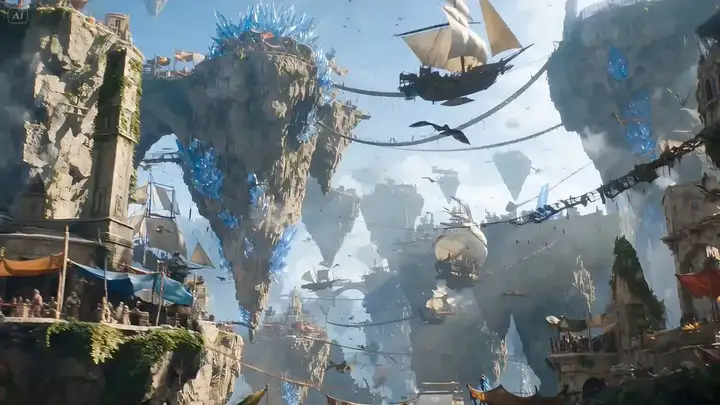
A daring aerial rogue diving on a bio-mechanical glider through a chaotic floating-island bazaar, weaving effortlessly through airborne merchants, dodging passing airships, flocking griffins, and tethered trading posts…
Ultra-realistic cinematic vertical video (9:16), authentic paparazzi/fan-captured red carpet moment at a luxury nighttime gala. Handheld iPhone-style footage with slight camera shake, autofocus breathing, flash bloom…
PART 1 (0:00–0:15) GLOBAL STYLE: Stylized 3D animation, cel shaded graphics, comic book rendering, Spider Verse inspired visual style, vibrant high contrast color palette, fluid dynamic motion, Unreal Engine 5…
Magic Pen Street Transport Vlog · 15 Seconds · Vertical 9:16 [STYLE] Live-action + flat 2D anime sticker compositing, first-person street transport magic vlog. 8K photorealistic detail with the authentic look of a real…
Create a professional Hollywood advertising storyboard sheet for a premium anti-dandruff shampoo commercial. The storyboard consists of 10 ultra-realistic cinematic frames arranged in a clean 2×5 grid on a white…
Showcase pieces are curated from meigen.ai and credited to their original creators.
Prompt structure
Cover these five parts in one or two sentences each. Short and concrete beats long and vague.
Who or what is on screen, with two or three visual details.
What happens, in order. One clear action per shot works best.
Shot size and movement: close-up, tracking shot, slow push-in, drone.
Look and mood: photorealistic, anime, golden hour, neon night.
Dialogue in quotes, ambience and music. Models with native audio follow it.
A red fox trots through fresh snow in a pine forest at dawn, then stops and looks into the lens. Low tracking shot, slow push-in. Photorealistic, soft golden light, breath visible in the cold air. Sound: crunching snow, distant birds, gentle wind.
FAQ
It depends on model, length and resolution, and the studio shows the exact cost before you generate. Clips start at 24 credits.
No. Credits are reserved when you start and returned automatically if the render fails or times out.
Yes with any credit pack and with Pro and higher plans, under our Terms of Service. Free and Starter credits are for personal use.
Up to 30 seconds with Seedance 2.5, Kling 4.0 and Grok Imagine, up to 15 seconds with Seedance 2.0, and 4–8 seconds with Veo 3.1.
From 480p up to 4K, depending on the model. Free accounts render up to 720p; credit packs and plans unlock 1080p and 4K.
Yes. Veo 3.1, Seedance, Kling 4 and Grok Imagine generate native audio, including dialogue and ambience. Seedance lets you switch audio off.
Usually one to four minutes, depending on model, length and resolution. The studio shows an estimate and keeps rendering if you leave; you get a notification when it is ready.
Yes. Use First & last frame to start from your image, or Reference to keep a character, product or place consistent in a new scene.
Pick a model, describe the shot and generate. Clips start at 24 credits.